GARMIN APPROACH S72 GOLF WATCH
Golf Data at a Glance
Designed new experiences for the Approach S72, Garmin’s latest golf watch. This project includes a putt-reading feature that translates green contour data into clear slope and break direction, and heart rate data visualizations that show how it impacts performance in a round. The work balanced existing golf workflows with hardware controls and GPS/compass limitations.
CONTEXT
Building from the S70
The S70 served as the foundation for the next-generation experience. We carried forward familiar functionality and patterns, reworked the UI, improved usability, and made room for new features.
THE NEED
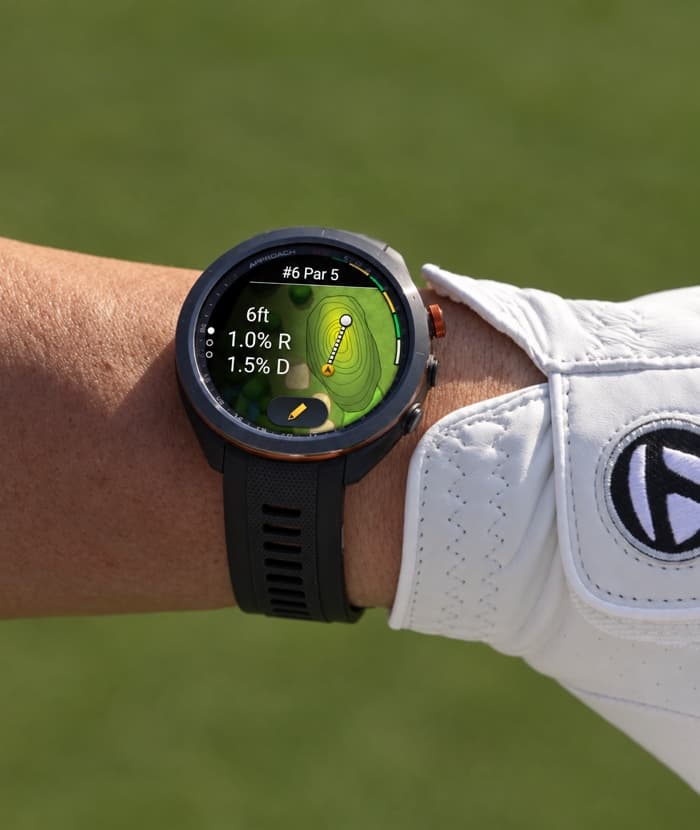
Golfers want to understand the slope of the green when practicing putts on the green.
The putt reading experience needed to quickly answer two things:
- Which direction the green breaks (Left, Right, Downhill, Uphill)
- How severe the slope is (by %)
This is data reflected from the location of where the terrain changes between the ball and the hole. The challenge was fitting that into an existing watch flow without creating unnecessary steps.
THE GOAL
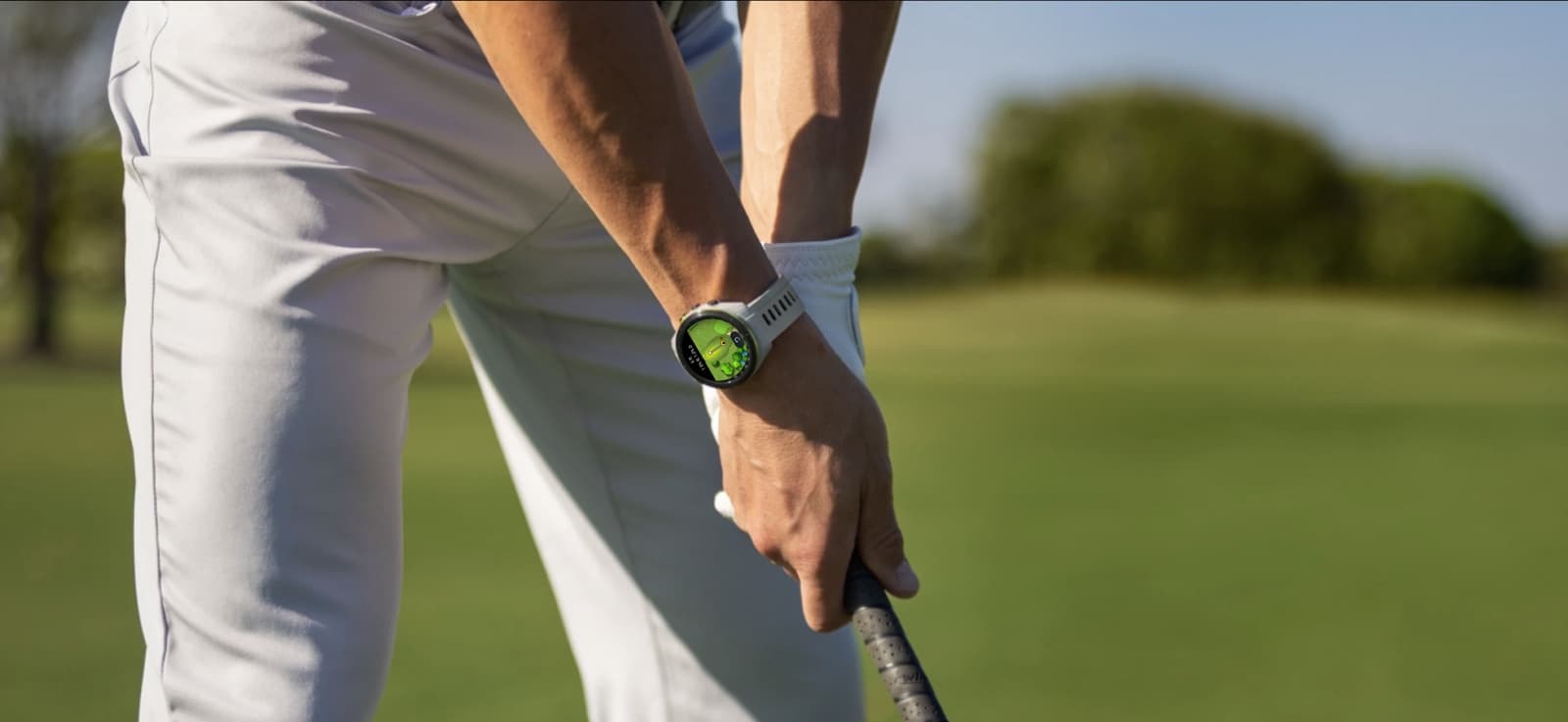
Providing golfers a quick way to get slope data based on where they tell us they want to see it.
Early conversations focused on what the watch could reliably communicate. Some golfers practice Aim Point, the specific spot on the ground or target line where a player intends to direct their shot or start a putt.
Because the data was not accurate enough to recommend an exact aim point, we moved away from telling golfers where to aim and focused instead on slope direction and percentage.
THE OPPORTUNITY

How might we help golfers quicklyunderstand the green without disruptingtheir putting routine?
FEATURE HIGHLIGHTS
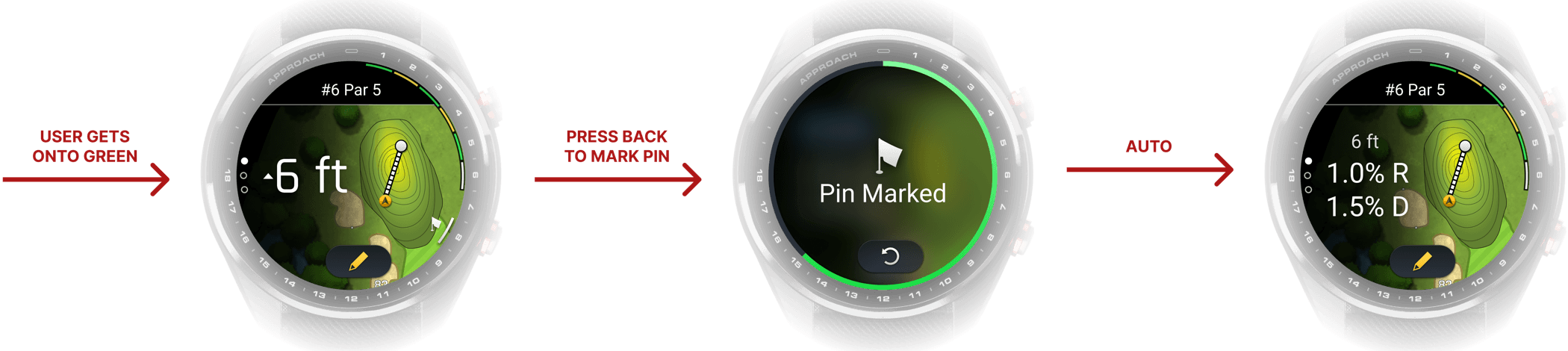
First, mark the pin.
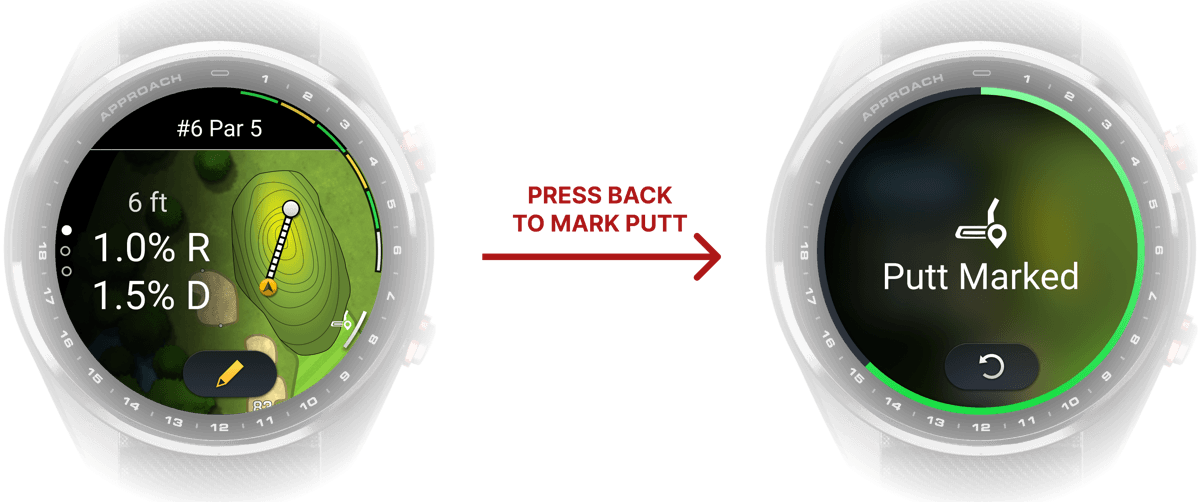
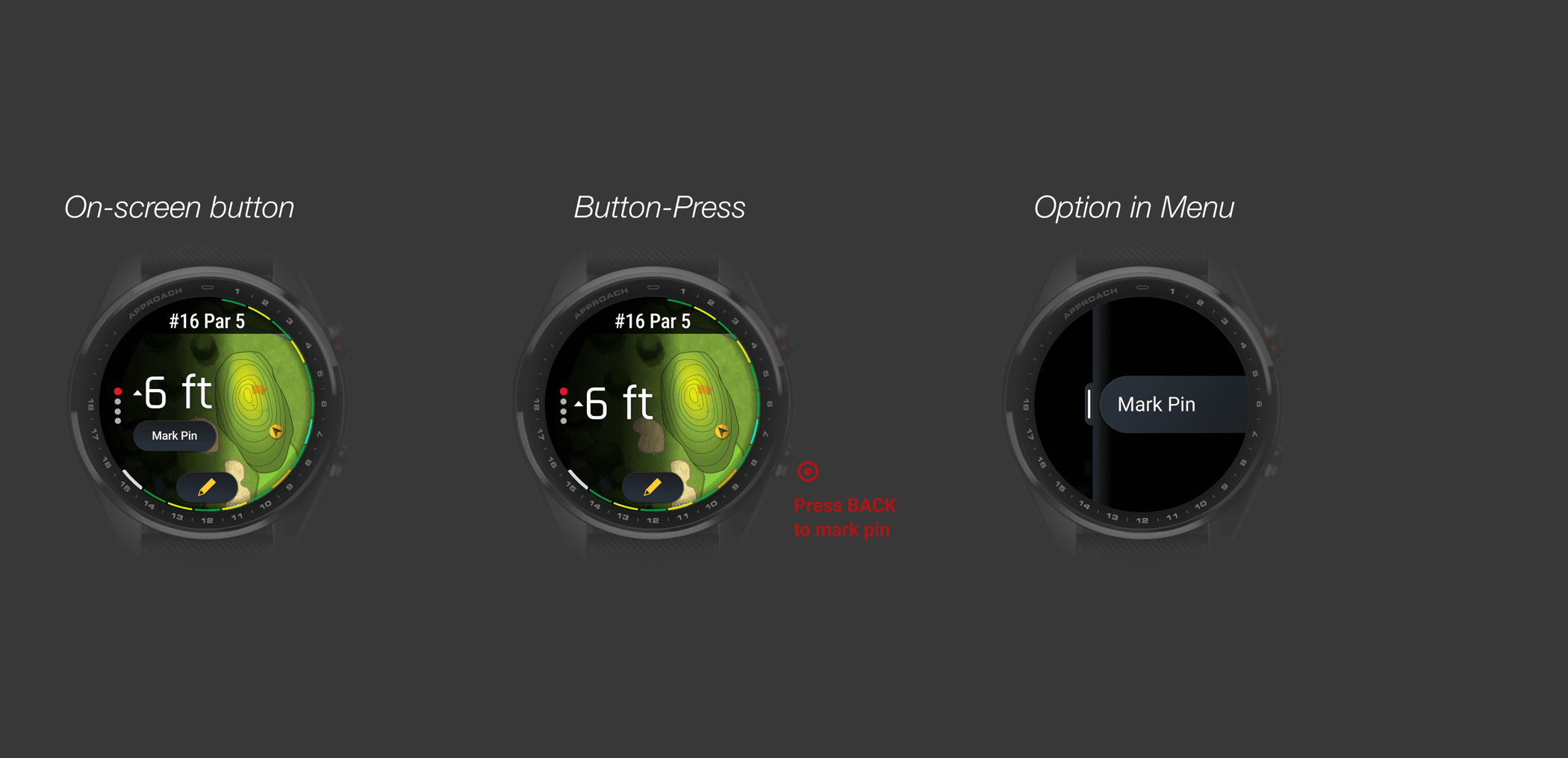
On the FMB page, the familiar distance experience becomes the entry point. As the golfer reaches the green, the screen simplifies around distance to the pin, and pressing the Back button is used to mark the flag and access putt reading.
Building on Garmin's existing Mark Pin interaction, we treated putt reading as an extension of that. If the watch already knew where the hole and golfer were, those inputs could also support a slope reading. This kept the concept grounded in an existing workflow.
The first design question was whether this feature should be tied in with Mark Putt: do users want to see the slope after they've marked the putt, ie. made a shot? Is that data useful or just cluttering the screen?

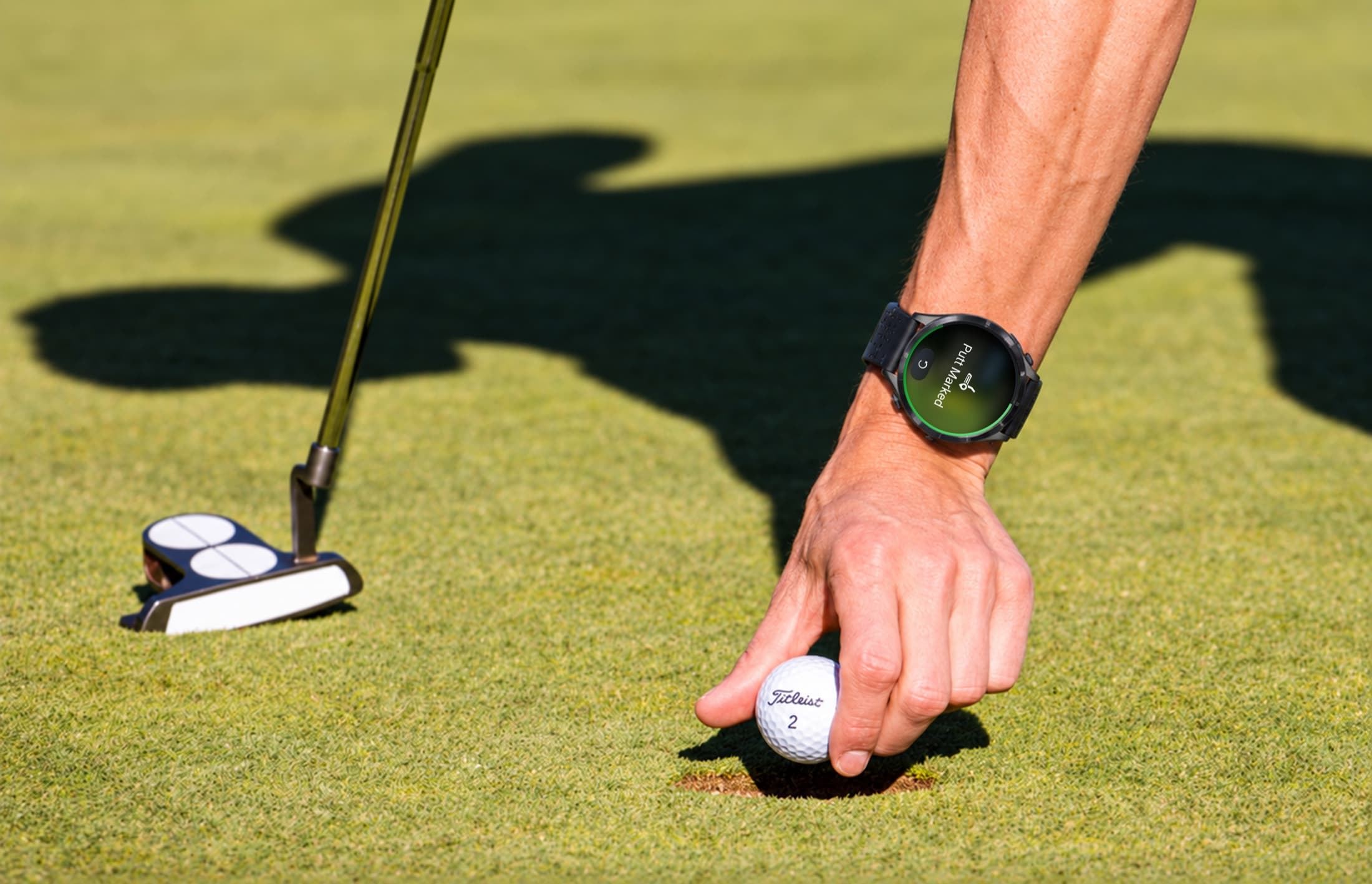
After making a putt, mark it.
Part of the challenge was working with what we had already implemented, which was the ability to mark a putt. To still allow this functionality, we repurposed the Back button to change from marking the pin to marking a putt after we know the pin's location.
Another part of this challenge was working with CT10s, Garmin's automatic golf club tracking device that screws into the butt end of your golf grip to record every shot you take. Supporting both manual inputs and automatic detections of the putt was part of the challenge.
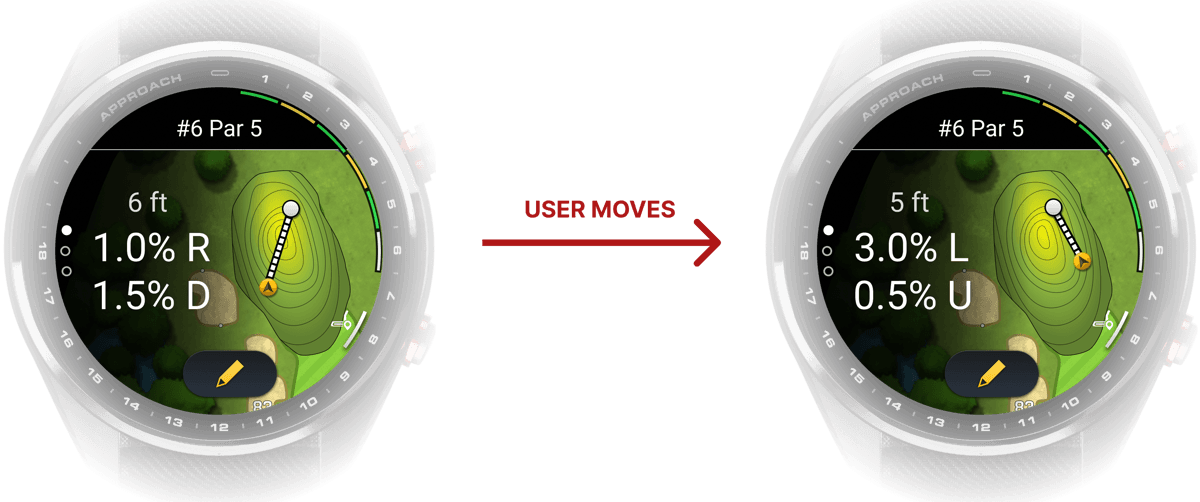
Read the green as you move
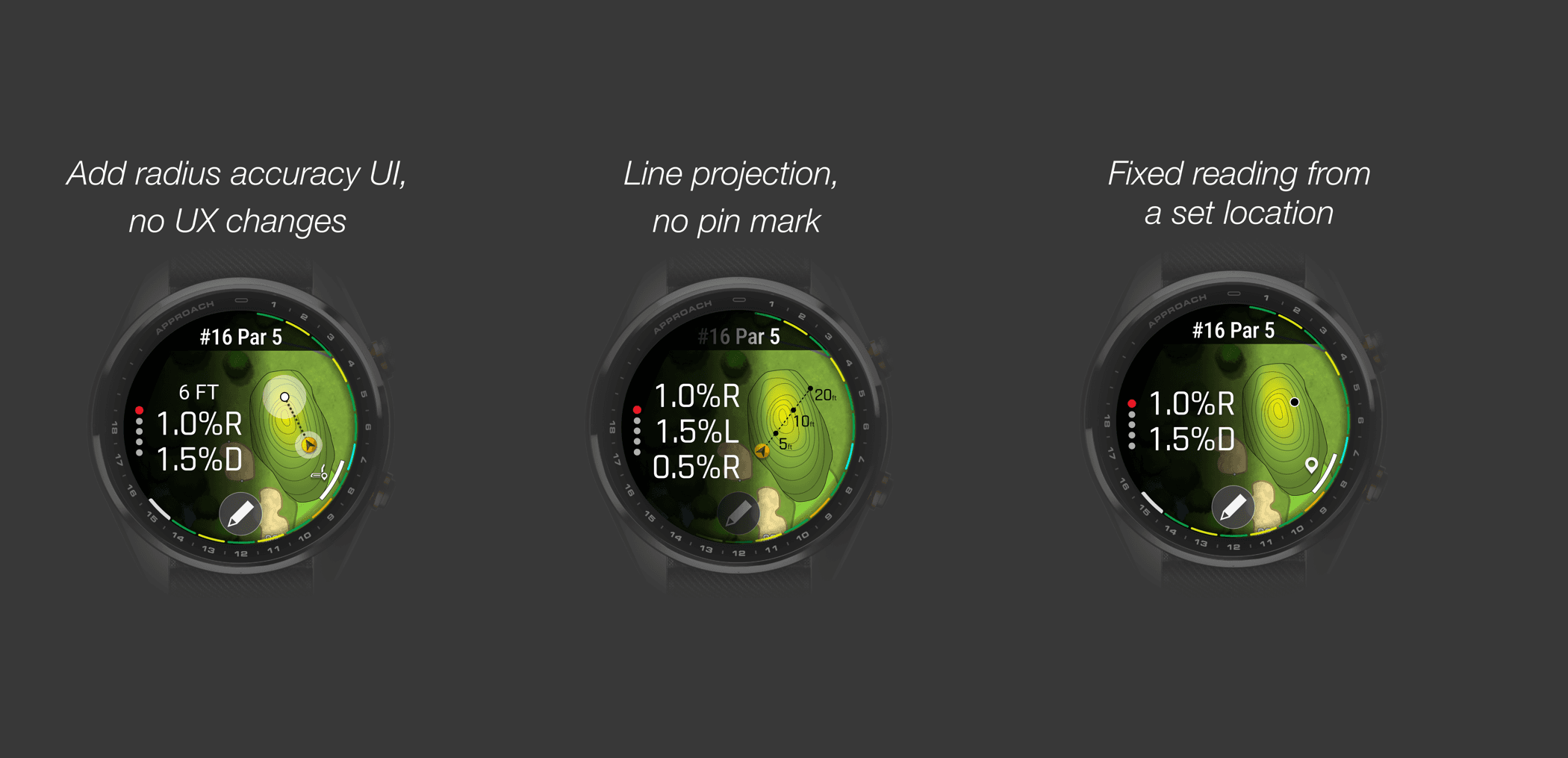
Putt Reading updates with the golfer's current location, giving them a live read of slope as they move around the green.
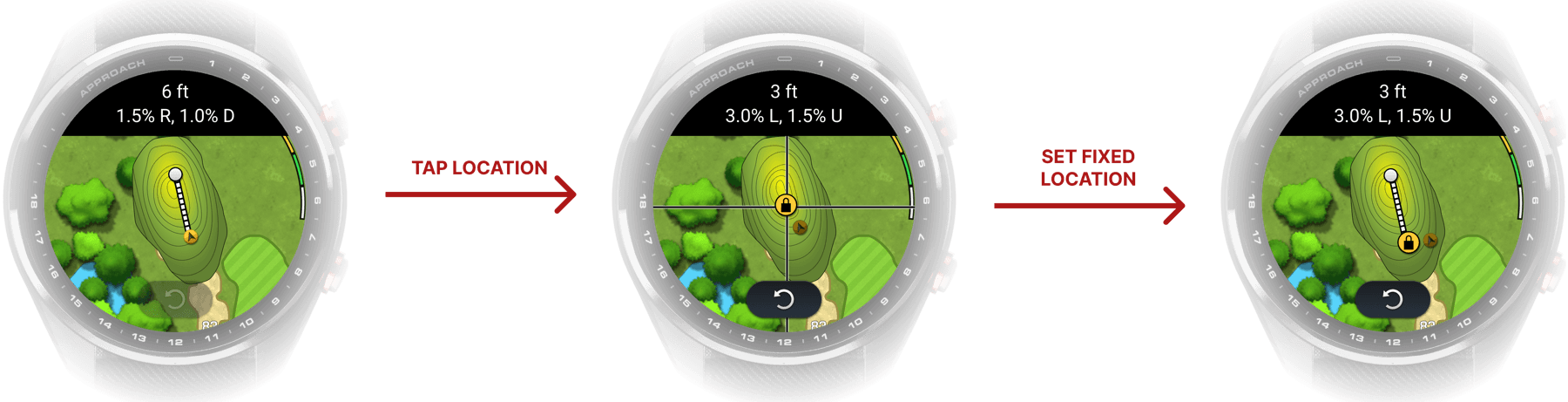
Read from a fixed location
On Green View, golfers can manually set their location or the flag to get a reading from a specific point. This also provides a fallback when GPS appears inaccurate.
DESIGN QUESTIONS
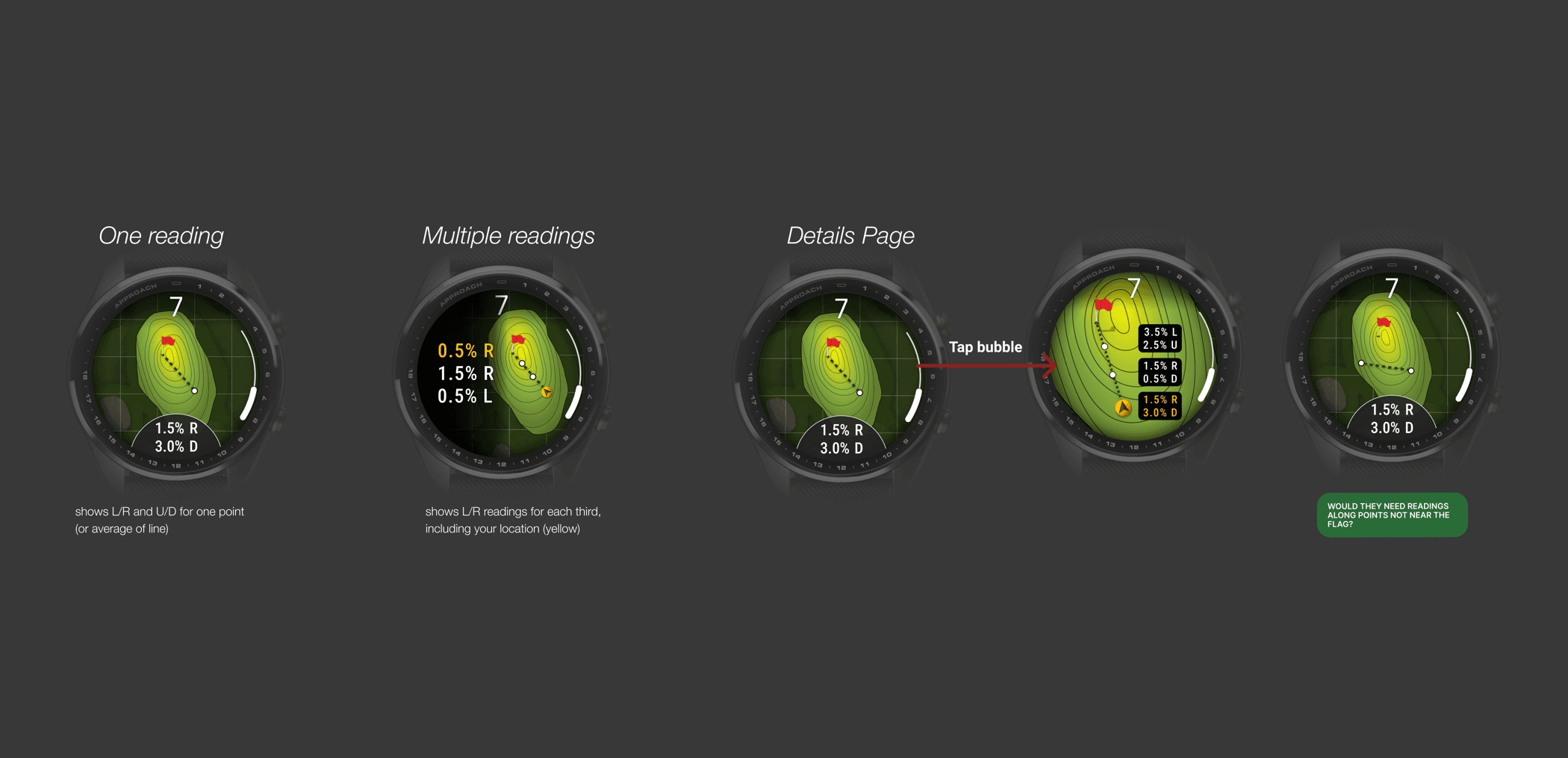
One reading or many?
A green does not slope uniformly, so a single percentage can oversimplify what is happening between the ball and the hole. I explored single averages, multiple readings along the putt line, and directional indicators showing where slope changed.
More detail gave golfers more context, but also required more interpretation. The design challenge became deciding how much information was actually useful on a small screen, in the middle of play.
Screen, button, or menu?
We explored three ways to access Mark Pin: a physical button press, an on-screen control, or an option within the menu.
Beta feedback favored hardware input because golfers could mark the pin without looking closely at the watch, while on-screen and menu-based options added more visual or interaction overhead. That pushed the final direction toward preserving the faster button-driven flow where possible.
TROUBLESHOOTING
Designing for GPS and compass uncertainty
Later in the project, GPS and compass accuracy became the biggest constraint. GPS could be off by several yards, which is significant when interpreting a putt measured in feet. The golfer's position, the pin location, and the map orientation could all be wrong, and the system could not always detect when that happened.
At that point, the design problem shifted from simply showing a reading to deciding how much trust to place in imperfect sensor data. The final direction kept the default flow fast, but added manual correction when the system was wrong.
DESIGN SYSTEM
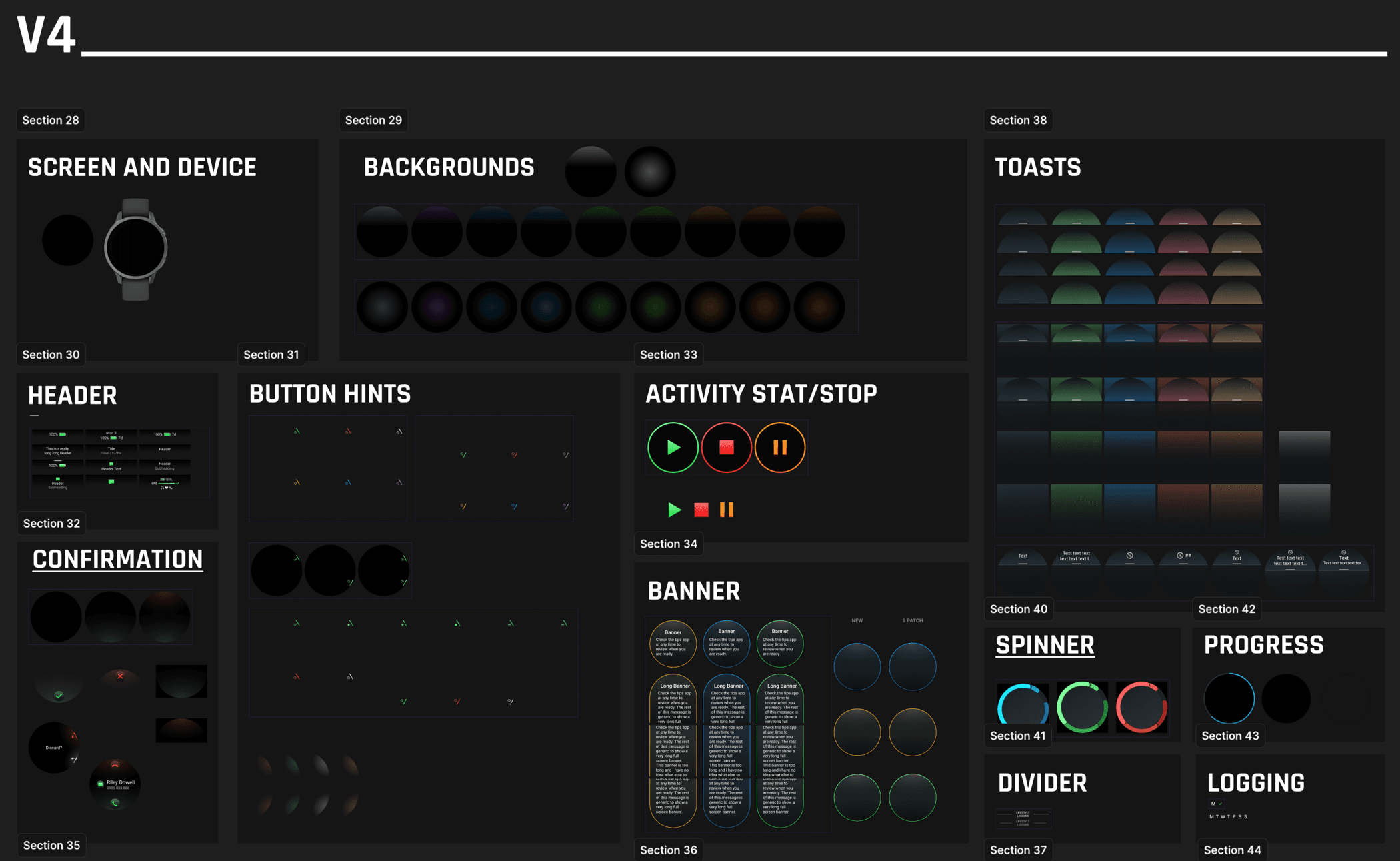
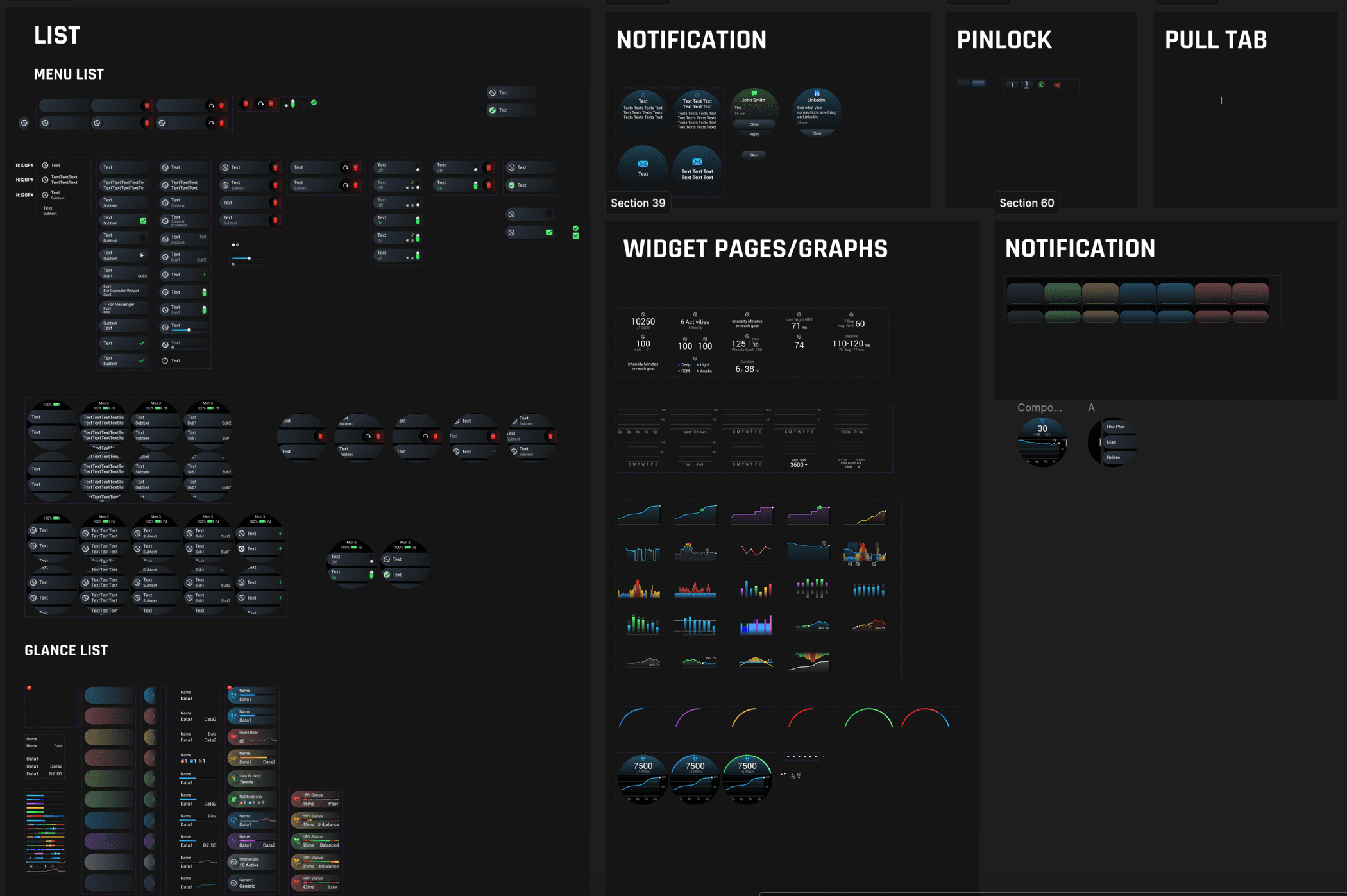
We worked closely with 2 UI designers who were in charge of keeping the style in line with our other watch lines.
RESULTS
Design for the imperfect state
The biggest lesson from this project was that a feature is not only defined by its ideal interaction; it also depends on how well it handles uncertainty, hardware limits, and existing user habits.
Testing with real putting scenarios
The next phase would focus on validating the interaction in real putting scenarios, especially how quickly golfers understand the reading, how often they need to correct location, and whether those recovery paths remain lightweight during a round.
Further work would also include refining GPS and compass confidence thresholds, calibration behavior, and how the experience could scale across Garmin's other vector-map golf products.